
Goals
Budget
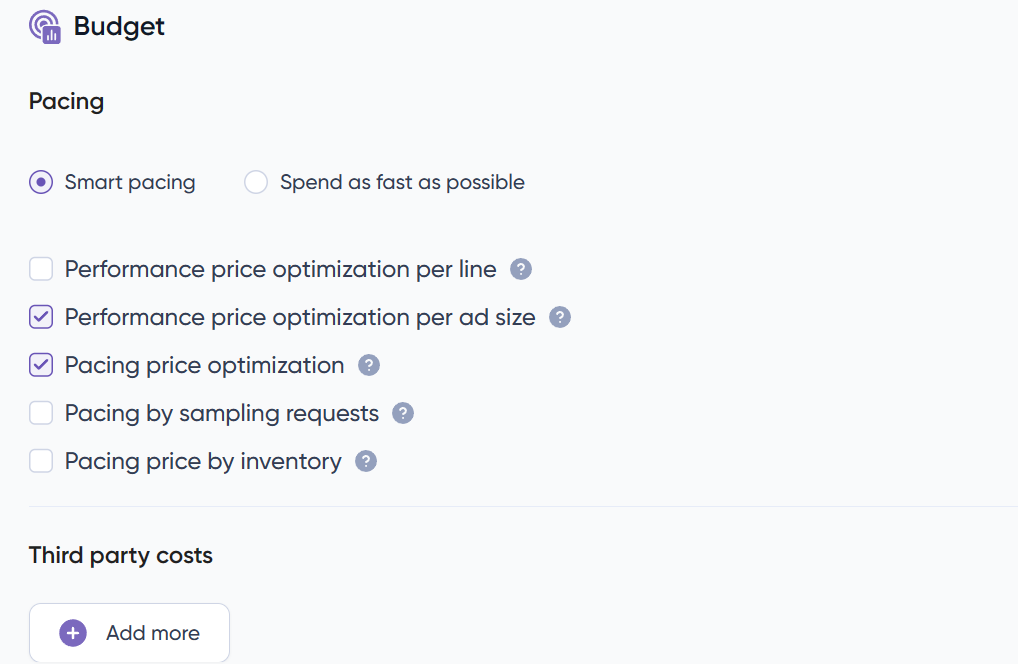
You can choose to have your budget spread evenly or to spend as fast as possible. If you chose to apply the even pacing you can choose between three options:
- Performance price optimization per line
Automatically adjust up or down the bids to optimize the price in order to achieve the desired performance per line. If per line and per price are selected, only per line will be in effect. - Performance price optimization per ad size
Automatically adjust up or down the bids to optimize the price in order to achieve the desired performance per ad size. If per line and per price are selected, only per line will be in effect. - Pacing price optimization
Automatically adjust up or down the bids to pace your campaign evenly along your budget limits (hourly, daily or total) - Pacing by sampling requests
Pace campaign along your budget limits (hourly, daily or total) by buying only impressions properly spaced in time. - Pacing price by inventory
Automatically adjust up or down the bids to pace the top inventories o the line along their limits.
By default, both Pacing Price and Performance Price per ad size optimization are selected.
Additionally, campaign budgets are specified in the account’s currency. You can manage budget as well as total impressions and clicks, with daily and hourly limits. These limits are always observed in consideration of the campaign’s overall budget.
You can select several limits at the same time if needed. But it is important that at least one of the options is selected.
Third party costs
This section allows you to add extra CPM cost to the cost of the media.
For example cost of using third party data, cost of creatives or anything that is a CPM in addition to the media cost. You can add as many extra items as you want and media and third-party costs are split in the reporting section.
If you ever have questions about whether adding an additional cost is necessary, please feel free to reach out to us anytime.
Performance Objective
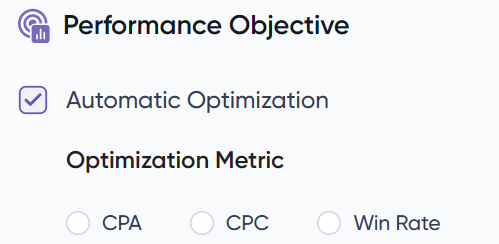
In this section, clients with “Dynamic CPM” accounts can activate or disable the “performance optimization algorithm”.
When active, clients can set up optimization mode towards CPA, CPC or Win Rate, including their desired CPA/CPC goal, and the name of the event they want to optimize (see image below). For Win Rate optimization, an aggressiveness needs to be selected.
With the Win rate algorithm, you will be able to set the desired aggressiveness level to buy media at its market value. A higher aggressiveness will result in higher volume and CPM. If the automatic optimization is not active, the bids will be managed at creative level.
You can also choose to set a threshold to only bid on requests where the predicted optimization metric is higher than a given threshold. Multiple thresholds can be set at the same time: 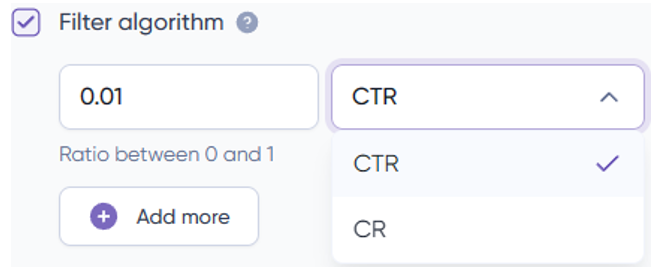
Inside this section you can also find the Publisher Scan tool: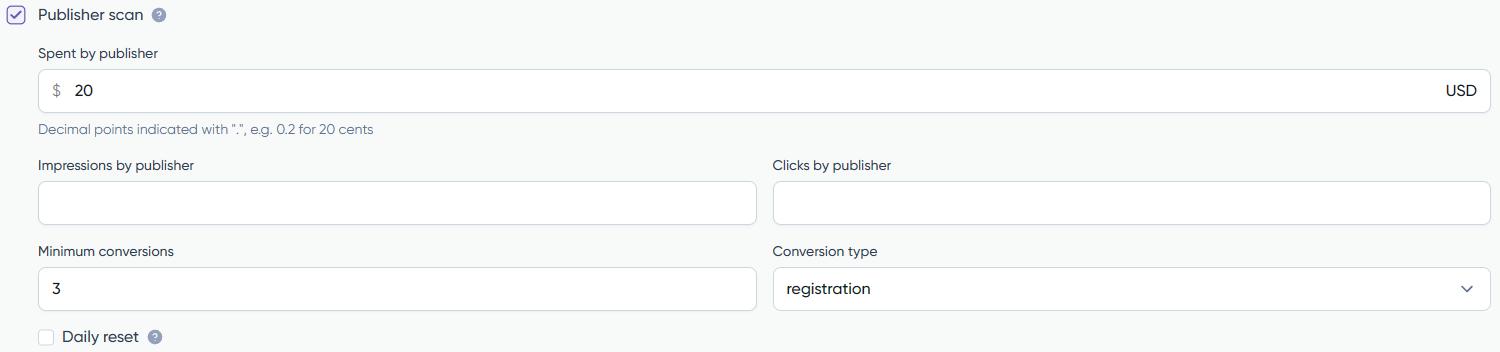 The publisher scan limits the total budget of each Publisher-Exchange combination in a specific line. When hitting that budget limit, it decides whether to blacklist the combination or not by looking if it got to the pre-set minimum number of events.
There are 3 variables you can tweak:
- Threshold by publisher: Total budget, impressions and or clicks of each Publisher-Exchange combination that will be used as a threshold.
- Minimum conversions: Min. number of events the combination has to reach before it hits the total budget so to not be blacklisted.
- Conversion type: The event used as conversion (click, landing, subscription, install…)
You can view and restart each Publisher status on the ‘Publisher Scan’ option from the Optimization tab.


